Give every watchlist
a clearer picture.
Build a screen that brings together price, change, currency and history—then add streaming when users need to follow updates as they arrive.
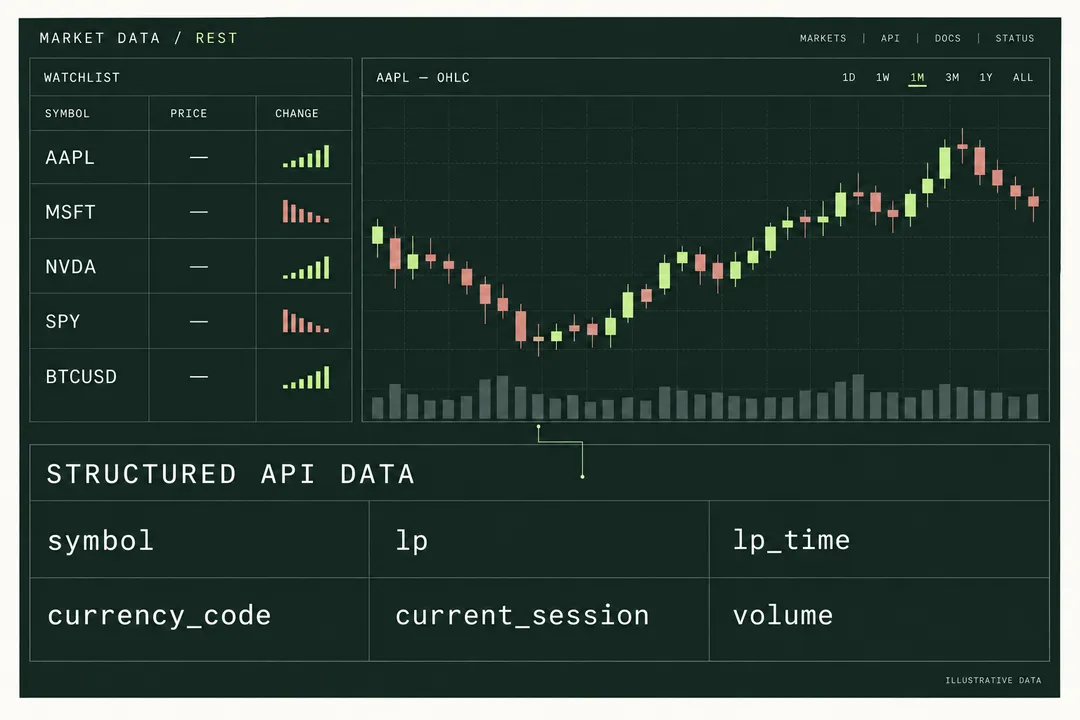
Integration blueprint · not a live application. Neutral endpoints and account access still require validation.
Three pieces.
One useful workspace.
Portfolio tools, market monitoring interfaces and internal dashboards.
Price with context
Price, change, currency and market time in each row.
History behind the movement
Standard candles from one-minute to monthly intervals.
Updates when you need them
REST first. Add WebSocket or SSE for pushed updates.
A readable row.
Traceable to the data.
Symbol, price, change and market time, mapped from an archived batch response.
| Instrument | Price | Change |
|---|---|---|
| BINANCE:BTCUSDTUSDT | 76,513.71 | +0.89% |
| BINANCE:ETHUSDTUSDT | 2,328.83 | +0.65% |
Market timestamp: . Values are retained from the documented batch response, not fetched by this page.
From first connection
to a useful result.
Follow the flow. Open a step for implementation details.
- 01
Resolve the instruments
Find the listing, exchange and currency.
GET /api/search/market/{query}Implementation notes
Use search or the symbol catalog to choose the exchange-qualified listing and currency. Save the selected identity with each watchlist item.
- 02
Populate the watchlist
Batch up to ten symbols; handle each result separately.
POST /api/quote/batchImplementation notes
Request groups of up to ten symbols. Update successful rows independently and retain an explicit stale or unavailable state for a failed symbol.
- 03
Add a chart and update path
Load candles, then add token-based streaming.
OHLCV + WebSocket / SSEImplementation notes
Load standard candles for the selected instrument. For pushed updates, mint a streaming token on your server and reconcile the screen after reconnecting.
Try one small build.
- 01Render two symbols with currency and market time.
- 02Open a historical chart for one symbol.
- 03Show a clear state for a failed or missing item.
Batch first. Streaming if you need pushed updates.
Plan requirements
Look for batch access first. Add streaming access if the screen subscribes to updates, then compare request budgets and connection requirements. In the current dated snapshot, Pro excludes batch and streaming; a higher price alone does not imply the right feature set.
Data & usage boundaries
Confirm the required instruments and sessions, acceptable data delay and permitted display or redistribution use before public release. A response example does not establish a market-data license or a real-time guarantee.
A few practical answers.
Should I start with polling or a stream?
Start with the simplest interaction your product needs. A periodic report may only need snapshots; a monitoring screen may benefit from pushed updates. In either case, display market timestamps and plan for stale data.
Does batching reduce the subscription charge?
It can reduce HTTP request overhead, but billing units must be confirmed in Console. Do not assume one ten-symbol batch consumes the same quota as a single-symbol request.
Give your idea its first data connection.
Create or reuse your account, check the required access, and build one useful result before expanding.
Continue to our shared account console.