Identify the company
Ask your agent to resolve the listing before requesting price or company context. Check available tools and preserve reported periods.
Data & availabilityConnect compatible clients to quotes and historical data. Ask for a timestamped result, not a guess about the market.
Use a compatible client’s remote-server settings.
The planned OAuth flow keeps the existing account and subscription.
Check the returned symbol, timestamp and availability.
{
  "mcpServers": {
    "navquote": {
      "type": "http",
      "url": "https://mcp.navquote.com/mcp"
    }
  }
}The first useful result is a successful data-tool call. A connected server or a list of tools is only an intermediate step.
Get the latest available quote for AAPL.
Report the symbol, price and data timestamp.
If data is unavailable or delayed, say so.Neutral names below are planned aliases. Their compatibility and billing mapping must be verified.
| Proposed tool | Task |
|---|---|
| get_quote | Get a single market quote. |
| get_quote_batch | Request quotes for multiple symbols. |
| get_ohlcv | Retrieve standard candles for an instrument. |
| get_ohlcv_batch | Request historical candle data for multiple instruments. |
For a client that supports manual bearer authentication, call POST /api/mcp/generate with the account API key. Inspect success, token, expiresAt, mcpUrl and the returned client configuration.
The returned token goes in the MCP client’s Authorization header. Never substitute the account API key or a WebSocket token. Token lifetime follows the plan; do not hard-code the sample duration.
curl --fail-with-body "$NAVQUOTE_API_BASE/api/mcp/generate" \
  -H "Authorization: Bearer $API_KEY" \
  -H "Content-Type: application/json" \
--data '{}'MCP session traffic is different from a market quote stream.
Read the client’s actual tool list.
The aliases above are planned neutral names. Tool discovery must confirm which names the client actually exposes.
Check protocol errors and the data result’s success.
The documented service uses JSON-RPC 2.0 over Streamable HTTP. Match response IDs and inspect the returned data result.
Return the symbol, currency and market time.
Retain missing fields explicitly. A fluent explanation does not replace a successful data response.
The MCP session’s SSE channel is not /sse/stream market streaming. For continuously updating interfaces, use the streaming API.
None have completed the neutral-endpoint acceptance test yet. Client support will be listed by name and version after authorization and actual data-tool calls succeed.
Follow the supported OAuth flow or generate an MCP JWT. Do not assume a long-lived REST API key can be sent as a bearer token to the hosted MCP endpoint.
No. A token is a credential. Verify discovery, authorization, the tool list and a successful data-tool result before relying on the integration.
Ask your agent to resolve the listing before requesting price or company context. Check available tools and preserve reported periods.
Data & availabilityTreat an ETF quote and its portfolio as different datasets. Confirm the client exposes the required tools before requesting holdings or NAV.
Data & availabilityPreserve currency, timestamp and instrument type in the answer. Tool availability and account access must be checked for each workflow.
Data & availabilityChoose the experience you want to deliver. Follow a concrete path from the first response to the access your application needs.
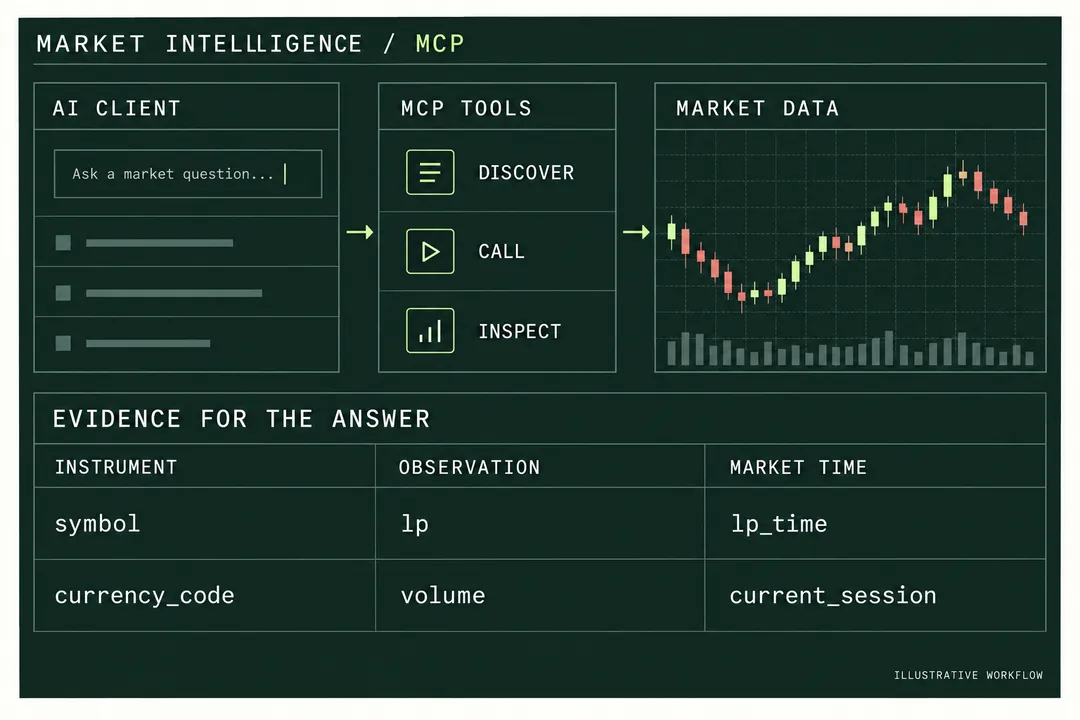
Give each answer a traceable instrument, value and market timestamp.
Explore the workflowDesign an MCP quote and candle workflow that resolves instruments, checks tool success and timestamps, and separates retrieved data from model interpretation.
One account for API keys, usage and subscriptions.
Continue to our shared account console.