Interactive subscriptions
WebSocket
Client Server
Send subscriptions →← Receive updates
Choose it when your client sends subscription messages over the same connection.
Receive market updates over WebSocket or Server-Sent Events. Choose the transport that fits your application.
Both begin with a streaming JWT. Access, token lifetime and connection limits depend on the plan.
Choose it when your client sends subscription messages over the same connection.
Choose it for server-to-client updates using straightforward HTTP tooling.
Set up the API base and key in the quickstart, then mint a streaming token. Check the response’s success status, token and expiration before connecting.
curl --fail-with-body "$NAVQUOTE_API_BASE/api/token/generate" \
  -H "Authorization: Bearer $API_KEY" \
  -H "Content-Type: application/json" \
--data '{}'These examples show the connection shape. Add expiration handling and recovery for your application.
// Proposed endpoint. Use a short-lived streaming JWT.
const url = new URL("wss://stream.navquote.com/ws");
url.searchParams.set("token", "YOUR_STREAM_TOKEN");
const socket = new WebSocket(url);
socket.addEventListener("open", () => {
  socket.send(JSON.stringify({
    action: "subscribe_quote",
    symbols: ["NASDAQ:AAPL"],
    fields: "all"
  }));
});
socket.addEventListener("message", event => {
  const message = JSON.parse(event.data);
  console.log(message);
  // A subscription acknowledgement is not a data update.
});# Proposed endpoint. STREAM_TOKEN is a generated JWT.
curl --no-buffer --get "https://stream.navquote.com/sse/stream" \
--data-urlencode "token=$STREAM_TOKEN" \
--data-urlencode "symbols=NASDAQ:AAPL"Build your UI around the last actual market observation, not just whether a socket is open.
An acknowledgement means the connection was accepted. Wait for data.
Read the update type, available fields and market timestamp.
Renew if needed, reconnect and reconcile. Replay is not guaranteed.
On smaller screens, scroll horizontally to read all columns.
| What you receive | What it establishes | What your app should do |
|---|---|---|
| Connection or subscription acknowledgement | The transport or subscription was accepted. | Show “waiting for data” until an update arrives. |
quote_update | A quote payload for a symbol. | Inspect available values and market timestamps. An update can contain only part of a quote. |
price_update | A candle/price subscription update. | Inspect the returned candle fields and interval; do not parse it as a quote envelope. |
| Disconnect, error or expired token | The displayed state may be stale. | Check credentials, reconnect with backoff, restore subscriptions and reconcile with a REST snapshot where appropriate. |
The token-generation response supplies token, expiresAt, wsUrl and sseUrl. Use the returned addresses after the neutral-address contract has been validated.
expiresAt, suitable for comparison with Date.now(). Quote and candle timestamps use seconds in the documented examples. Keep those units separate.type inside data: records. Handle ordinary records through onmessage; a JSON type is not an SSE event: name. See the SSE handler example.Use the API key on the server to generate a streaming JWT, then use that short-lived credential for the stream. Do not expose a long-lived key in a browser application.
No replay guarantee has been verified. Reconnect, restore your subscriptions and reconcile current state as needed. Do not assume a gap-free event history.
Token lifetime follows plan entitlement. Read expiresAt from the generation response and confirm the active plan in Console. An acknowledgement or heartbeat alone is not a successful data result.
Build rows around the symbol, currency and market timestamp. A quiet connection can reflect a closed session; it is not necessarily a failure.
Data & availabilityTrack the chosen pair and venue through snapshots and updates. Confirm actual messages for each required subscription.
Data & availabilityEach instrument can have a different update cadence. Validate symbol-level stream access instead of assuming the entire directory is streamable.
Data & availabilityChoose the experience you want to deliver. Follow a concrete path from the first response to the access your application needs.
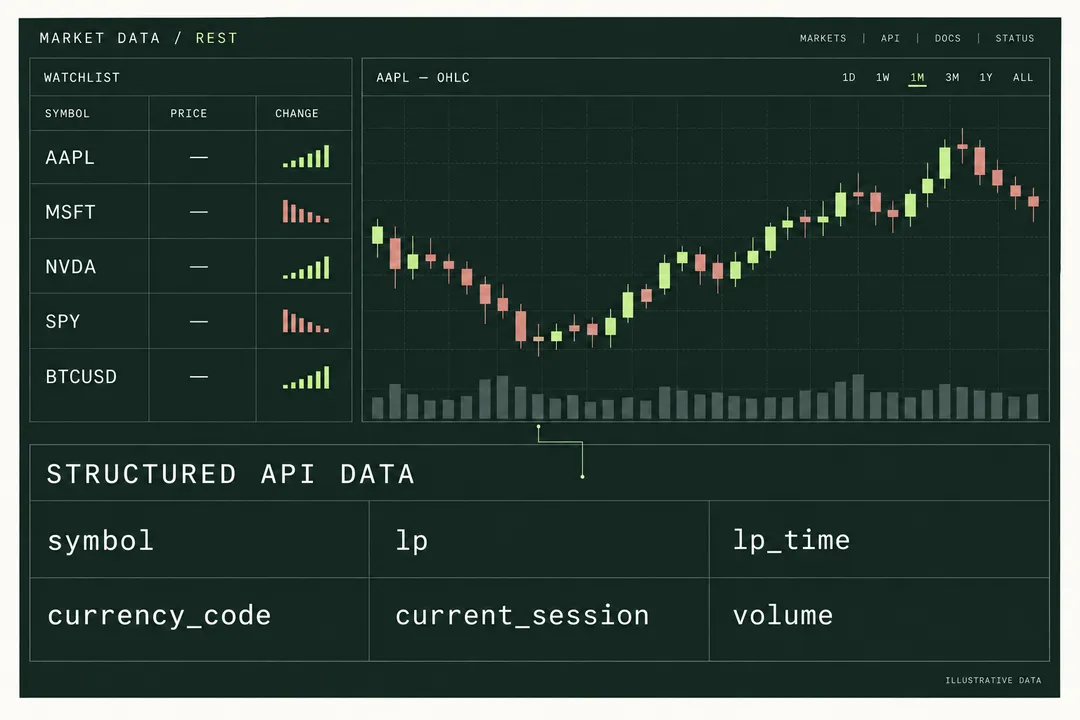
Quotes, history and updates in one market workspace.
Explore the workflowChoose a market data transport by interaction pattern, recovery requirements and credential handling, with examples for reports, watchlists and dashboards.
Generate a streaming credential, send subscribe_quote, distinguish acknowledgements from quote updates, and plan reconnects without assuming event replay.
Inspect an SSE market data stream with cURL, connect a browser using a short-lived token, and handle named events, expired credentials and cleanup.
One account for API keys, usage and subscriptions.
Continue to our shared account console.