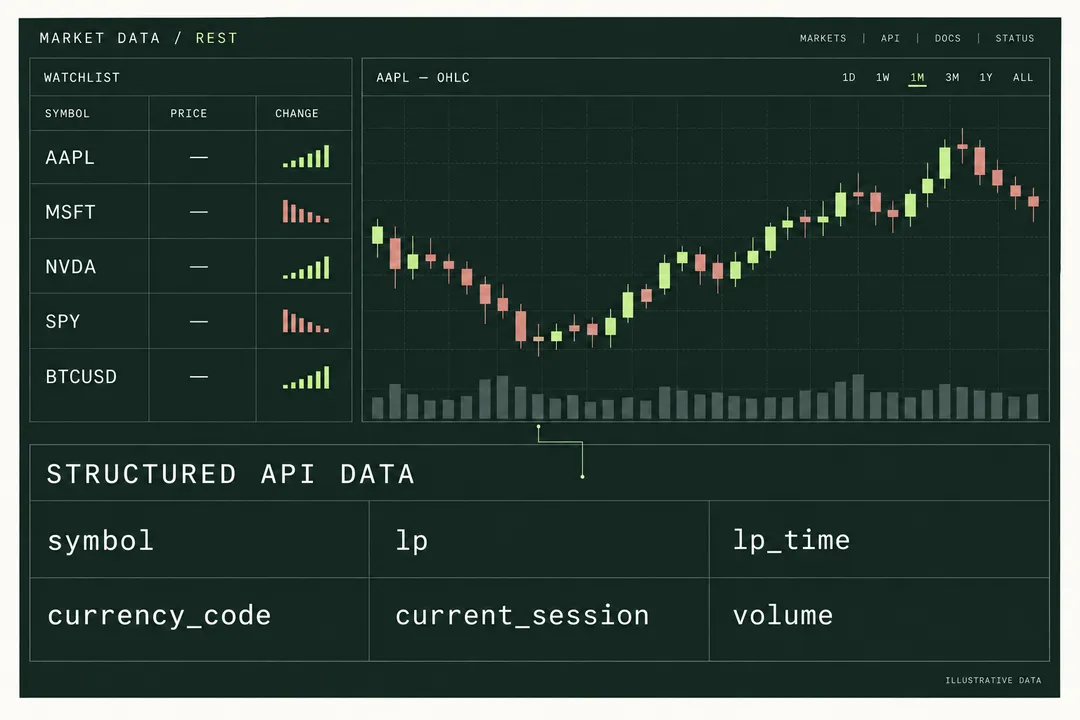
Dashboards & watchlists
Quotes, history and updates in one market workspace.
Explore the workflowBuild with stock, crypto, forex and fund data. Add historical candles, streaming updates and market research tools through one API integration.
Continue to our shared account console.
# Proposed base URL; pending endpoint validation
export NAVQUOTE_API_BASE="https://api.navquote.com"
# Set API_KEY in your server-side environment.
curl --fail-with-body "$NAVQUOTE_API_BASE/api/quote/NASDAQ:AAPL" \
  -H "Authorization: Bearer $API_KEY"
import os
import requests
response = requests.get(
os.environ["NAVQUOTE_API_BASE"] + "/api/quote/NASDAQ:AAPL",
headers={"Authorization": f"Bearer {os.environ['API_KEY']}"},
timeout=30,
)
response.raise_for_status()
result = response.json()
if not result.get("success"):
raise RuntimeError("Quote request failed")
print(result["data"]["data"]["lp"]){
"success": true,
"data": {
"symbol": "NASDAQ:AAPL",
"data": {
"lp": 273.05,
"lp_time": 1776729598,
"currency_code": "USD"
}
}
}Quotes, screening & company context
Trading pairs & venue-specific prices
Currency pairs & bid / ask context
Contract discovery & price research
Benchmarks for market overviews
Fund profiles, NAV & holdings
Fixed-income discovery & screening
Expirations, strikes & contract codes
Asset families in the documented search and data interfaces. Available fields, history and streaming depend on the instrument and plan.
Explore countries, regions and exchange identifiers in the market directory.
Representative directory entries, not a guarantee of exchange-wide data or real-time feeds.
Choose the experience you want to deliver. Follow a concrete path from the first response to the access your application needs.
Quotes, history and updates in one market workspace.
Explore the workflow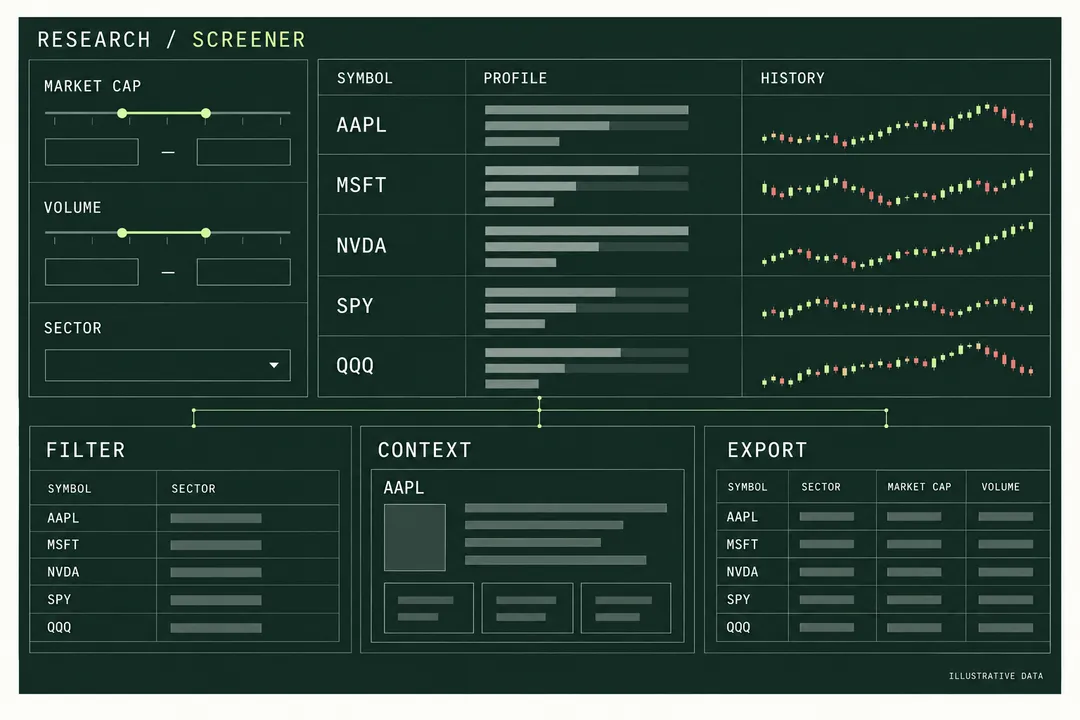
From a filtered shortlist to company context and historical exports.
Explore the workflow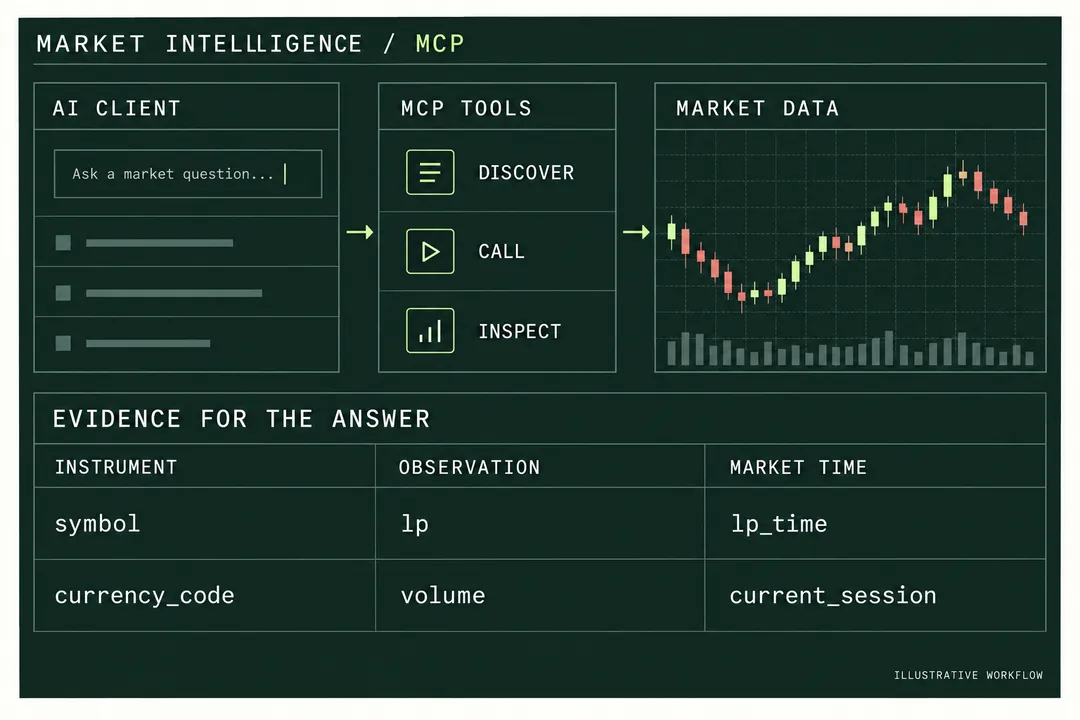
Give each answer a traceable instrument, value and market timestamp.
Explore the workflowChoose the data you need, then choose how your application receives it.
Read a single quote or batch up to 10 symbols. Choose the returned fields and inspect price, timestamp, currency and session.
Explore quotesChoose from 1-minute to monthly candles. Set a candle count, a time anchor, and split or dividend adjustment.
Explore historical dataMint a streaming token, subscribe to symbols, and distinguish connection messages from actual quote updates.
Choose your interfaceAuthorize a compatible AI client, discover its data tools, and return quotes or candle results with timestamps.
Explore MCPTurn a quote response into a readable watchlist. Keep the source currency and market time alongside the price.
| Instrument | Price | Change |
|---|---|---|
| BINANCE:BTCUSDTUSDT | 76,513.71 | +0.89% |
| BINANCE:ETHUSDTUSDT | 2,328.83 | +0.65% |
Market timestamp: . Values are retained from the documented batch response, not fetched by this page.
Use one shared account for API keys, usage and subscriptions. Evaluate the data your product needs, then select the access and request budget that support its day-to-day use.
Preview: neutral endpoints are pending validation. Use the quickstart to review the integration workflow.
Find your integration guideOpen the shared console and choose a suitable plan.
Keep the key in a server-side environment variable.
Check the success field and data timestamp before using the quote.
Choose REST for scheduled reports, exports and a first snapshot. A small field list limits what your app must parse. Batch requests reduce connection overhead, but quota accounting still follows your plan.
Choose WebSocket when the client sends subscription messages. Choose SSE for server-to-browser events. Both need token-expiry handling and a plan for recovering state after interruptions.
Choose MCP when an agent needs to discover and call data tools. Its session stream is separate from market streaming. Inspect the tool result before asking the model to summarize it.
The documented API also includes discovery and research endpoints. Use them to explain what an instrument is and why it belongs in your application.
Resolve a name, ticker, ISIN or CUSIP. Filter the symbol catalog by exchange and primary listing, or run stock scans with discovered filter fields and sorting.
Explore discovery & screeningAdd company identity and annual financials. Use dedicated ETF and options endpoints for holdings or contract discovery instead of expecting them inside a quote.
Explore research endpointsFilter news by symbol or market. Retrieve earnings and economic calendars using Unix-second windows of up to 40 days per request.
Explore news & calendarsBased on the local API v2.4.0 specification. Neutral-domain access and instrument-level availability remain subject to validation.
symbol + currency_codelp_time + current_sessiondata.dataBuild a Python quote request with environment credentials, timeout handling, nested response validation and UTC timestamps before storing market data.
Fetch standard candles, map max and min to high and low, sort and deduplicate timestamps, and export a reproducible CSV with a separate request manifest.
Choose a market data transport by interaction pattern, recovery requirements and credential handling, with examples for reports, watchlists and dashboards.
Compare access by workload, then use the API reference when you are ready to connect.
Start with batch quotes for up to 10 symbols per request. Read per-symbol success and timestamps. Add WebSocket or SSE when your interface needs pushed updates; keep a snapshot path for reconnection recovery.
Yes. The contract supports all, price, enhanced, or a comma-separated field list. Request only the fields your screen needs, and handle unavailable values explicitly. Option chains and ETF holdings use dedicated endpoints.
Use /api/price/ohlcv/{symbol}. Choose one of nine documented intervals, a candle count, and a split or dividend adjustment. Use from to fetch forward or to to look backward; from takes precedence if both are present.
Keep the long-lived account API key on your server. Mint a short-lived streaming JWT for a browser stream. Hosted MCP uses its own authorization or MCP JWT. The quickstart and connection guides explain each credential path.
Create your API key in the shared Console, validate your use case, then select a subscription for the features and volume you need.
Continue to our shared account console.